Run Live CLE Programs Without the Paperwork
Whether it's a Zoom webinar, an in-person seminar, or a hybrid event, CLE Hero tracks attendance, collects evaluations, and issues certificates the moment your session ends.

Attorneys from leading firms have completed CLE programs on CLE Hero






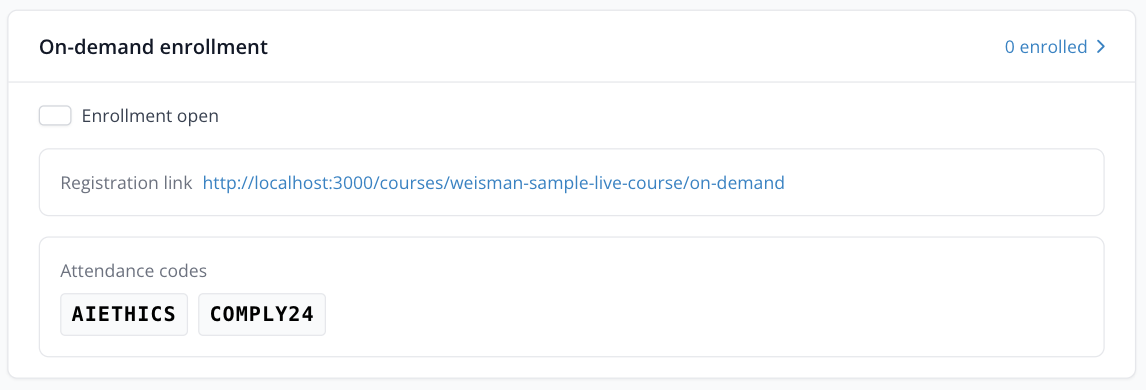
Attendance Verification
Attendance codes displayed during the session verify that attorneys are present throughout the program. Configurable per jurisdiction requirements.
No more passing around sign-in sheets or manually checking who was in the room. CLE Hero displays unique attendance codes at intervals you configure, and attorneys submit them to verify their presence.
- Timed attendance code display
- Configurable per jurisdiction
- Works for virtual and in-person events
Real-Time Evaluations
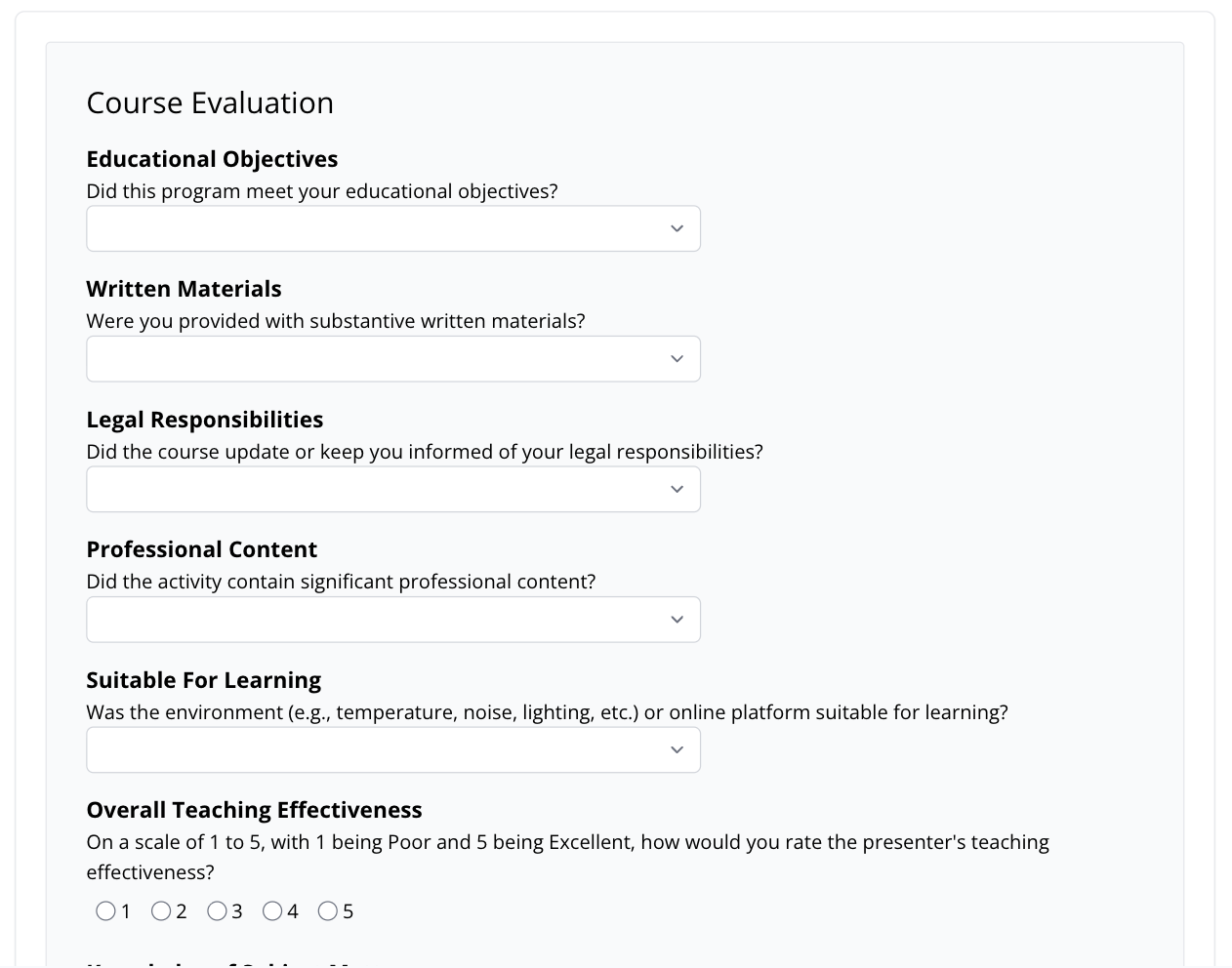
Course evaluations are delivered immediately after the session. Required by many jurisdictions for CLE accreditation — CLE Hero handles it automatically.
As soon as the session ends and attendance is verified, attorneys receive their evaluation form. Results are collected instantly, giving you high response rates and the data you need for sponsor reporting.
- Automatic post-session delivery
- High completion rates
- Aggregated results for reporting
Instant Certificate Delivery
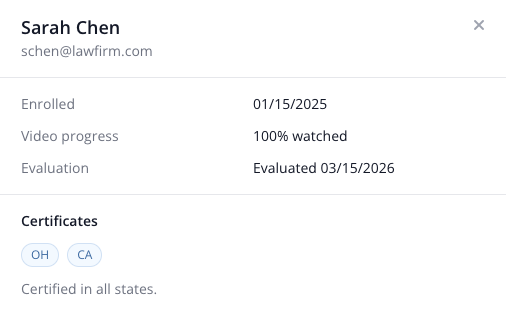
No waiting days for certificates. When an attorney completes attendance and evaluation requirements, their certificate is generated and emailed immediately.
Attendees love getting their certificate minutes after the session ends instead of waiting days or weeks. And you save hours of manual certificate creation and email work for every program you run.
- Certificates sent within minutes
- No manual processing
- Attorneys can download anytime
How It Works
From session setup to certificate delivery, CLE Hero handles every step.
Create Your Course
Set the date, time, and accreditation details for your live session.
Run Your Session
Attorneys register and receive attendance codes during the session to verify presence.
Automatic Follow-Up
Evaluations and certificates are delivered automatically when the session ends.
Frequently Asked Questions
Common questions about live CLE on CLE Hero.
- Does CLE Hero replace my webinar platform (Zoom, Teams, etc.)?
- No. CLE Hero works alongside your existing webinar or meeting platform. You run the session on Zoom, Teams, or in person — CLE Hero handles the CLE compliance layer: attendance verification, evaluations, and certificate delivery.
- How do attendance codes work for live sessions?
- You display attendance codes at intervals during your session (for example, every 30 or 60 minutes). Attorneys submit the codes through CLE Hero to verify their presence. You control when codes appear and how many are required.
- Can I run hybrid events (in-person + virtual)?
- Yes. Attendance codes work the same way whether attendees are in the room or watching remotely. Display the code on screen and all attendees — virtual and in-person — submit it through CLE Hero.
- What happens if an attendee misses part of the session?
- If an attendee misses an attendance code, their record reflects that. You can configure how many codes are required for completion, so a single missed code doesn't necessarily prevent certification if your rules allow it.
- How quickly are certificates sent after the session?
- Certificates are generated and emailed within minutes of an attorney completing all requirements (attendance codes and evaluation). There is no manual step — it happens automatically.
Ready to Simplify Your Live CLE Programs?
Automate attendance, evaluations, and certificates for your next live session — no credit card required.
Or schedule a demo to see it in action →